ChiroFusion logo
Back to Knowledge Base
Tips & Tools

Using Google Translate for Intakes: A Step-by-Step Guide

This article will discuss how to turn on Google Translate, for translating online intakes into any language you prefer.

C

ChiroFusion Support

Updated Mar 14, 2025

415 views
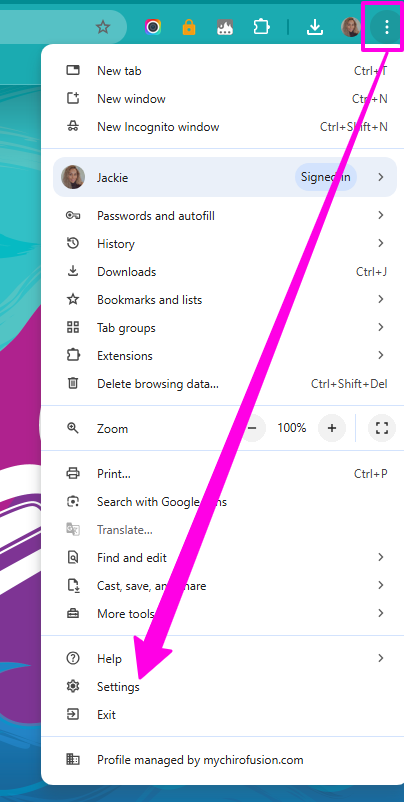
  • Access your Chrome Settings

Settings (1)

  • Click on Languages on the left hand sidebar --- scroll down and look for Google Translate --- Click on the Toggle.
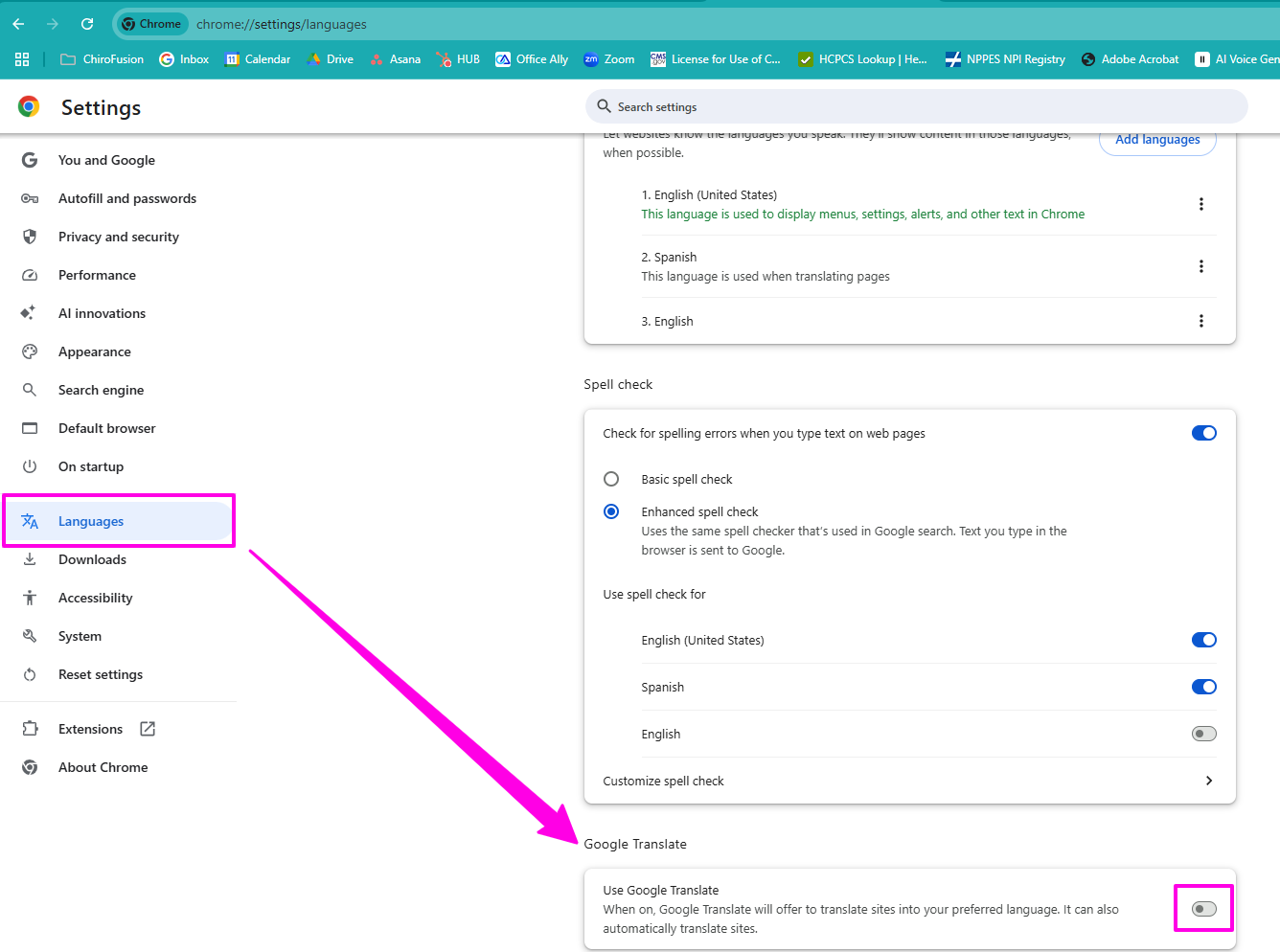
  • settings - languages (1)


  • Select the language you'd like to translate your intakes into. 
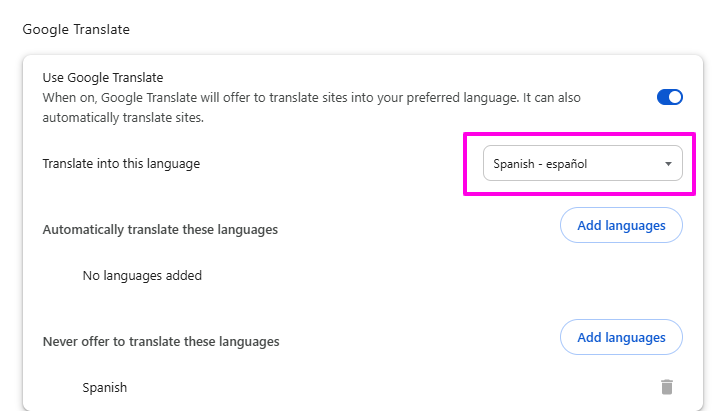
select your languages to translate (1)

  • Once you turn the feature on you will notice the icon in your search bar moving forward. When in your patient self check-in you will want to click on the vertical ellipsis and select "Always translate English".
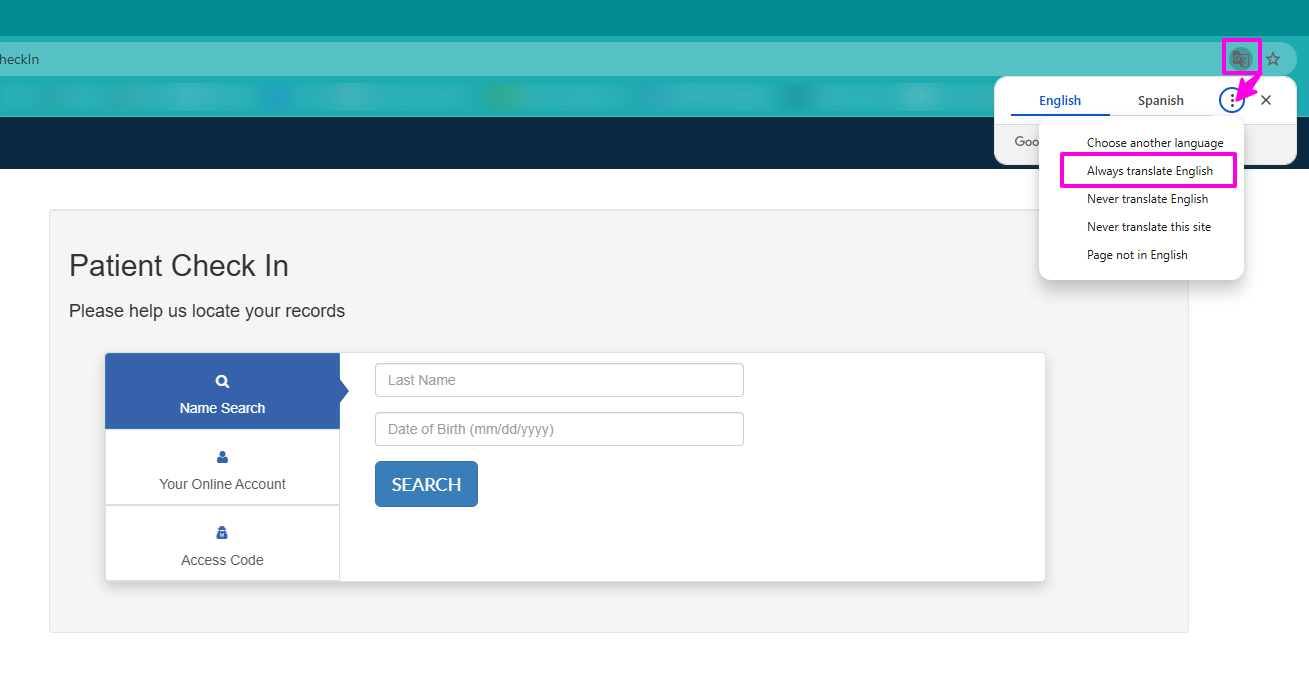
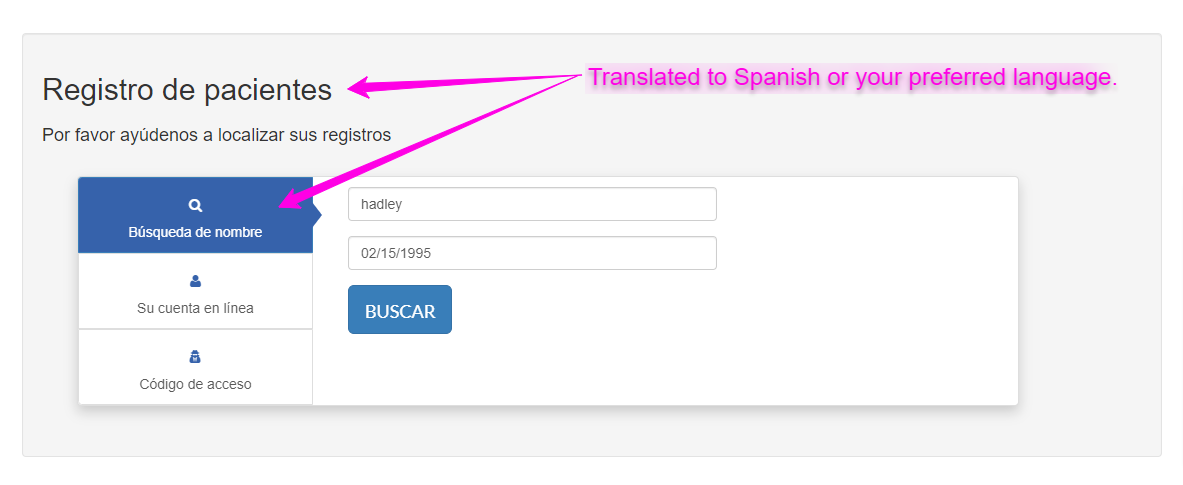
    checkin with google translate (1)
  • Below is an example of what patients will see when they check-in and decide to complete their intakes.
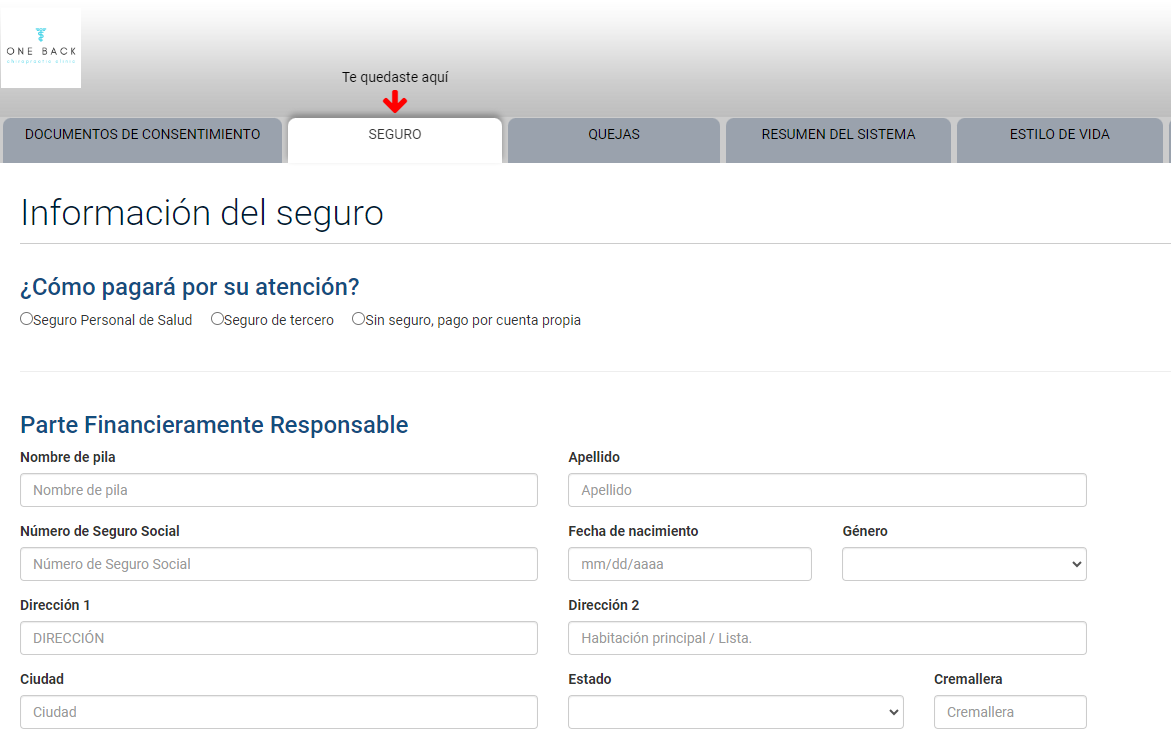
There is a possibility that you will have an iPad or tablet for Online Intakes. Here is a video demonstrating how to enable this feature in your Google Chrome Browser.

{% video_player "embed_player" overrideable=False, type='hsvideo2', hide_playlist=True, viral_sharing=False, embed_button=False, autoplay=False, hidden_controls=False, loop=False, muted=False, full_width=False, width='688', height='478', player_id='122856246140', style='' %}


Tags:#online intakes#chrome extension#tips & tools#tips and tools#translate#google translate#translate intakes

Was this article helpful?

Your feedback helps us continuously improve our documentation.

Related Articles

Tips & Tools

How do I enable voice dictation?

Voice dictation converts spoken words into text and can help to improve speed and efficiency when documenting.

Tips & Tools

How do I export patient data and medical records from ChiroFusion?

You have the ability to export your patient data and medical records from your ChiroFusion account.

Tips & Tools

How to create an email automation for patient birthdays

This article describes the steps involved to setup an automated email birthday campaign for your patients using Mailchimp.

Tips & Tools

ICD-10 cheat sheet for chiropractors

Our ICD-10 cheat sheet will help you to submit claims faster and with greater accuracy.