
ChiroFusion logo
Back to Knowledge Base
DocumentationWorking With Exams & SOAP Notes

How to create and use macros in ChiroFusion.

Macros are text expanders which can save you time when documenting a visit. Macros also give you the ability to quickly and easily customize your notes.

C

ChiroFusion Support

Updated Sep 12, 2024

859 views

Macros allow you to enter a sequence of keys that are replaced by a snippet of text that you have designated in the software. The following videos offer a step-by-step guide to creating and using macros within ChiroFusion.


1. Set-up and install macros:

Set-Up Macros With ChiroFusion


2. To start creating Macros, install Text Blaze to your Chrome Browser:

Text Blaze: Macros Text Expander Install

You can also install our sample macros directly from Text Blaze by searching 'ChiroFusion'.


3. Search "ChiroFusion" & submit your request to join in order to review/share topics discussing the use of Text Blaze in ChiroFusion.
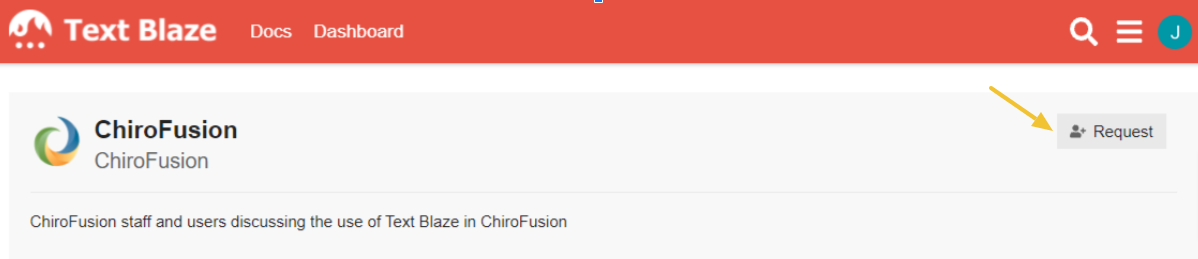
Text Blaze_ChiroFusion Request


Please contact Text Blaze via email to schedule your personal one-on-one walk-through & to start exploring all the ways that enhanced macros can streamline your daily notes.

Text Blaze Support: chirofusion@blaze.today.


_________________________________________________________


Was this article helpful?

Your feedback helps us continuously improve our documentation.

Related Articles

Troubleshooting

Why is my digital signature not showing?

When uploading a signature for Exam and SOAP Notes

Working With Exams & SOAP Notes

Working with Outcomes Assessments

The use of outcome assessments is essential in modern health care to assess quality of care and contain costs. This article will show you how to use the digitized Outcomes Assessments in ChiroFusion.

Troubleshooting

How do I reorder my ICD-10 codes to comply with Medicare requirements?

This article describes how to list ICD-10 codes in the correct order to preserve medical necessity as per Medicare requirements.

Working With Exams & SOAP Notes

How do I edit a signed note outside of ChiroFusion?

Signed SOAP notes and Exams in ChiroFusion can be edited, but must first be exported from the patient's record to your desktop.