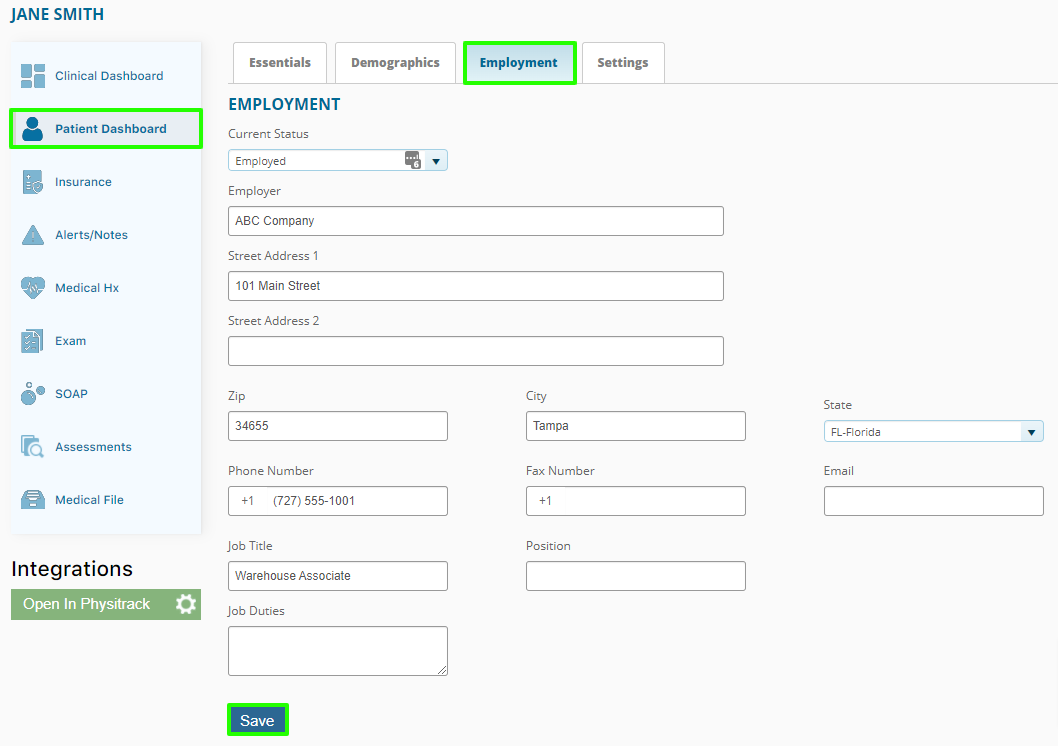
Step 1:
Navigate to the Patient Dashboard and select the Employment tab. Here you can input the Employment information and click save.
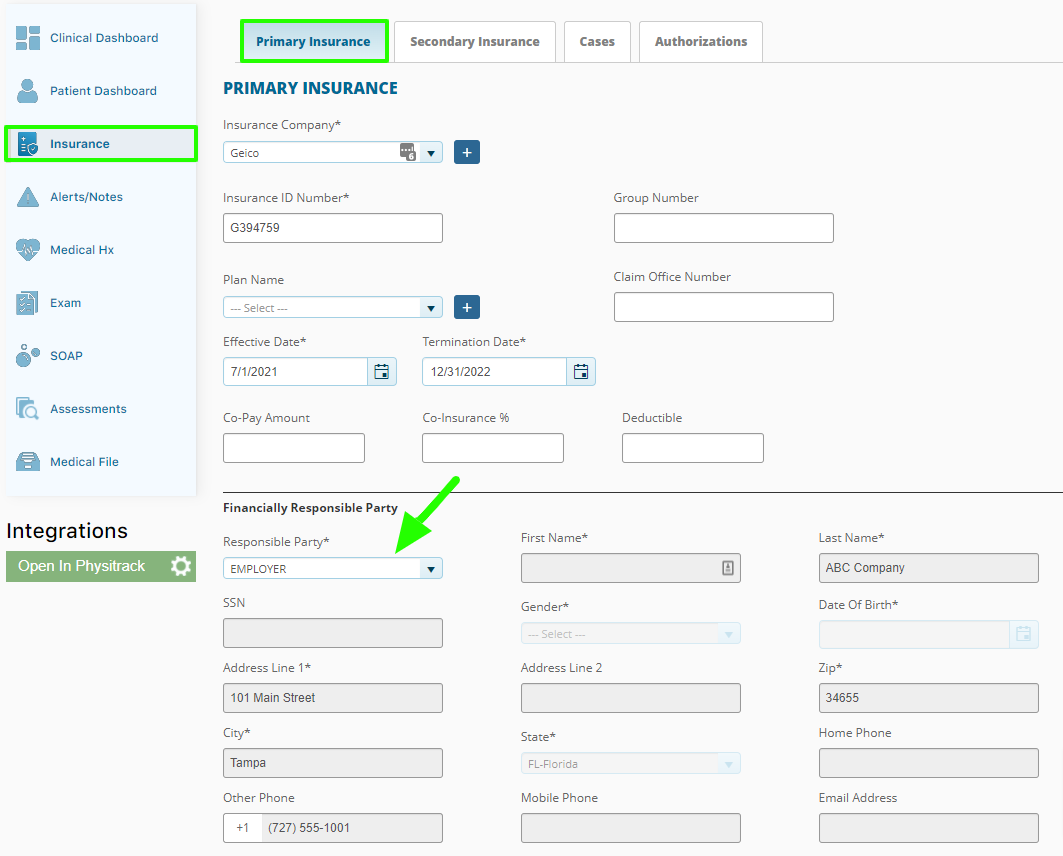
Step 2:
Navigate to the Primary Insurance tab and select ‘Employer’ as the responsible party. Be sure to scroll down to the bottom of the page to save your changes. This will mark ‘Employment’ in box 10a.