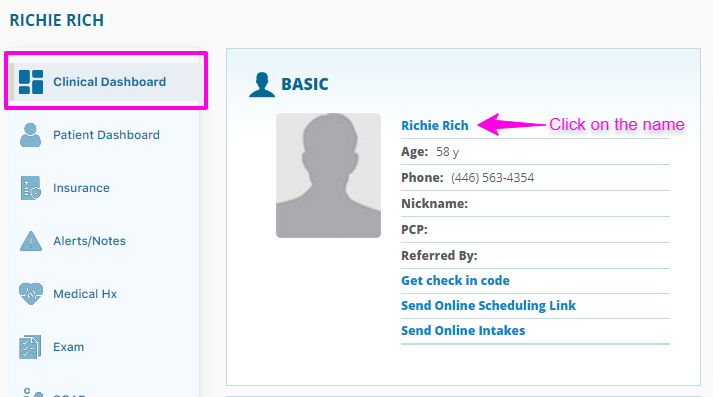
To generate a Face Sheet you will navigate to the patient’s profile and go to Clinical Dashboard. You will then click directly on the patient’s name in the BASIC section.
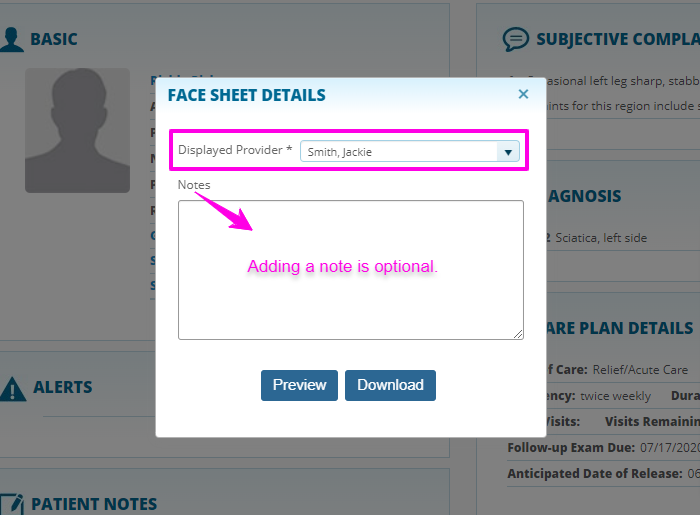
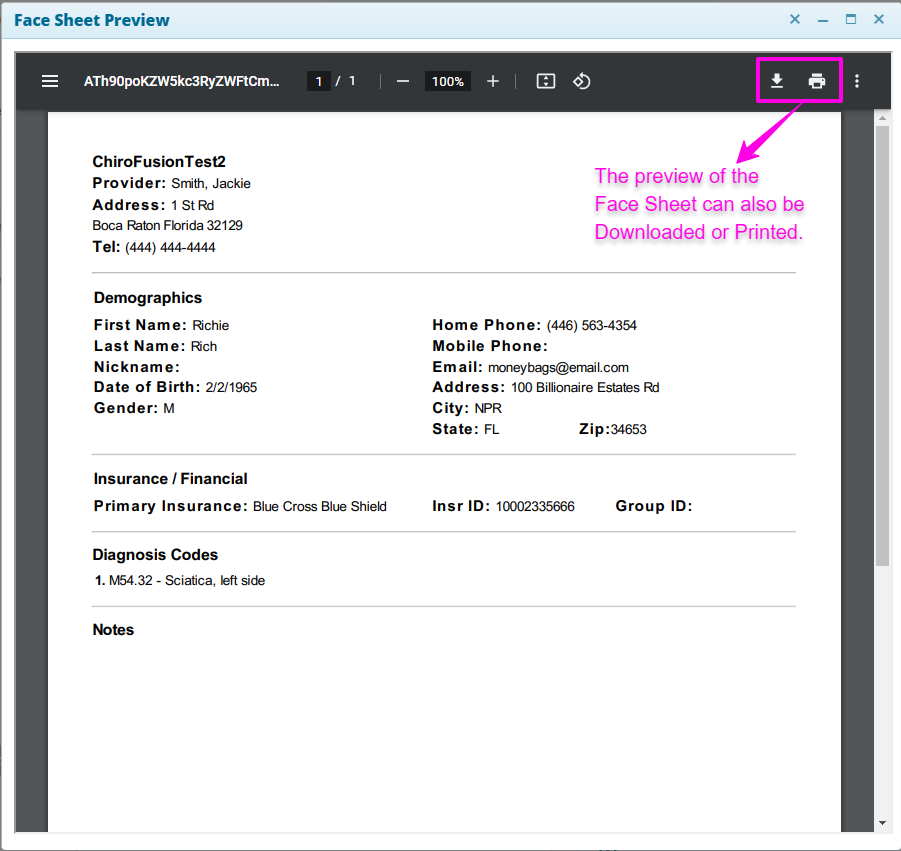
This will bring up a pop window where you can select the provider and add a note if desired. You can then click 'Preview' to print or 'Download' to create a PDF file that can be saved to your computer.