
ChiroFusion logo
Back to Knowledge Base
Tips & Tools

How do I export patient data and medical records from ChiroFusion?

You have the ability to export your patient data and medical records from your ChiroFusion account.

C

ChiroFusion Support

Updated Sep 12, 2024

819 views

Step 1: Export Patient Demographics

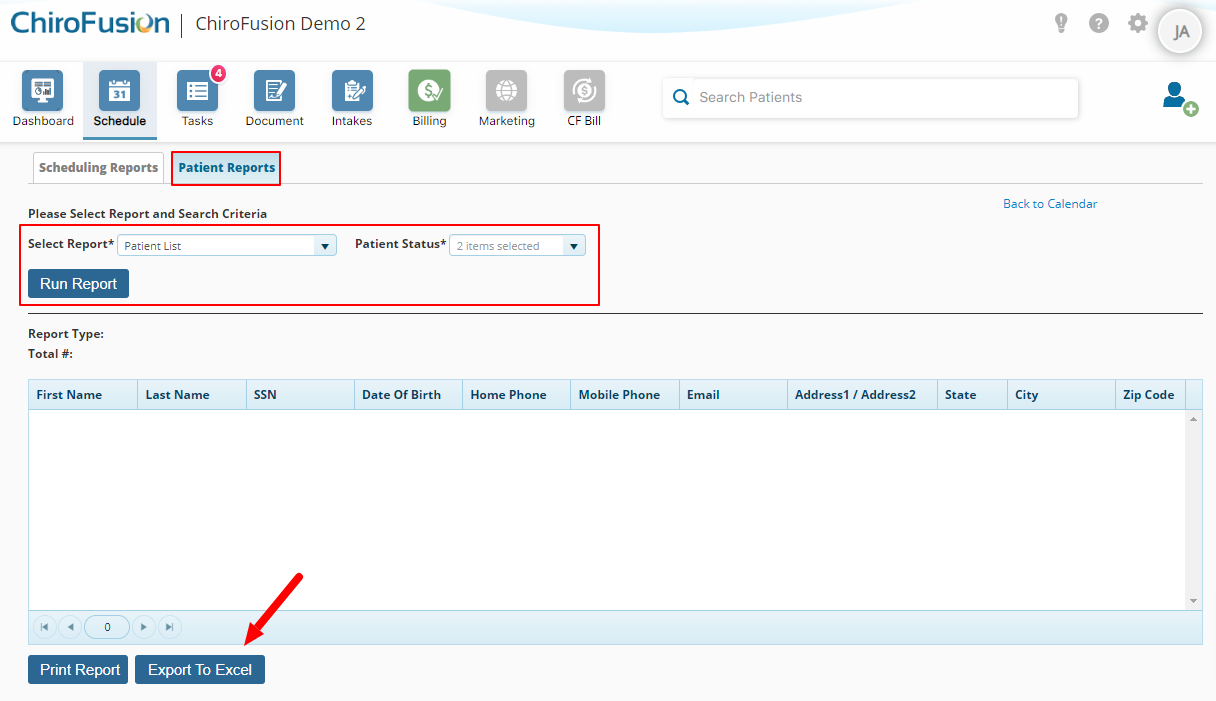
To export patient demographics, go to Schedule > Run Reports > Patient Reports > Patient List
 

Step 2: Export Patient Medical Records

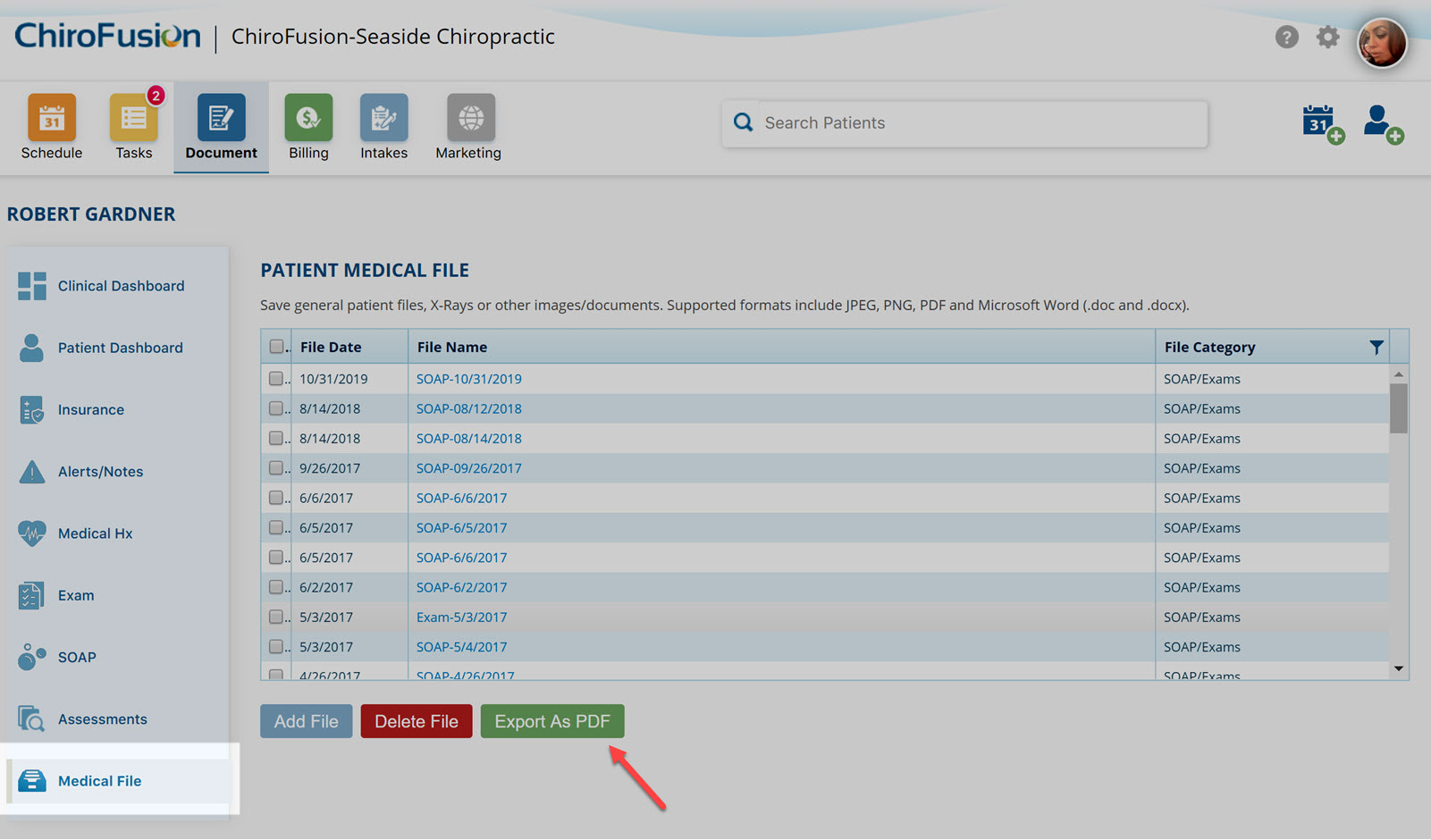
Patient medical records must be exported on a patient-by-patient basis. To export a patient's medical record, Search Patient > Medical File > Select Records > Export to PDF.

Be sure to name each file appropriately prior to exporting the record.
 

export records


Step 3: Export Billing and Financial Reports

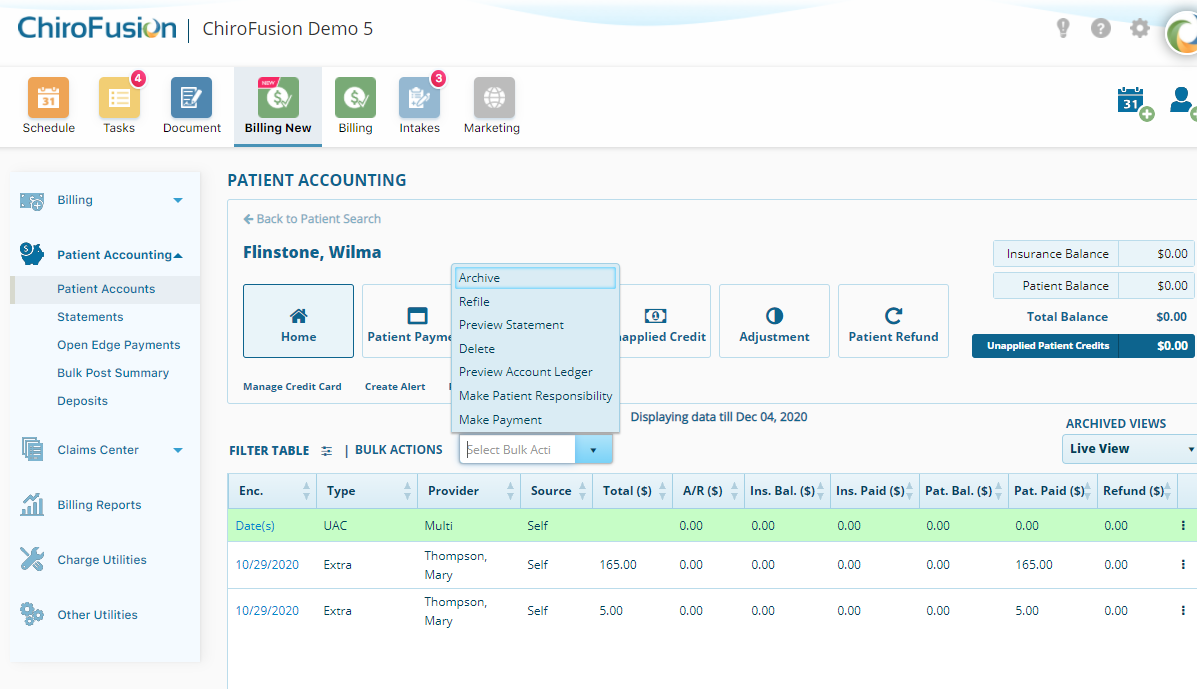
Throughout the Billing module, we offer options to export reports and statements to Excel and PDF formats. 
 

Export Patient Acct-1


** It is not possible to export all data into a single file.


Was this article helpful?

Your feedback helps us continuously improve our documentation.

Related Articles

Tips & Tools

Using Google Translate for Intakes: A Step-by-Step Guide

This article will discuss how to turn on Google Translate, for translating online intakes into any language you prefer.

Tips & Tools

How do I enable voice dictation?

Voice dictation converts spoken words into text and can help to improve speed and efficiency when documenting.

Tips & Tools

How to create an email automation for patient birthdays

This article describes the steps involved to setup an automated email birthday campaign for your patients using Mailchimp.

Tips & Tools

ICD-10 cheat sheet for chiropractors

Our ICD-10 cheat sheet will help you to submit claims faster and with greater accuracy.