
ChiroFusion logo
Back to Knowledge Base
Troubleshooting Guide

How do I delete a User from my account?

A Staff user can be deleted from ChiroFusion by logging into the Admin panel and removing them as a user.

C

ChiroFusion Support

Updated Sep 11, 2024

285 views

To remove a Staff user from ChiroFusion, login into the Admin panel and click on the Users tab. From there, select the User from the drop menu and click Delete. Once removed, the user will no longer have access to ChiroFusion.
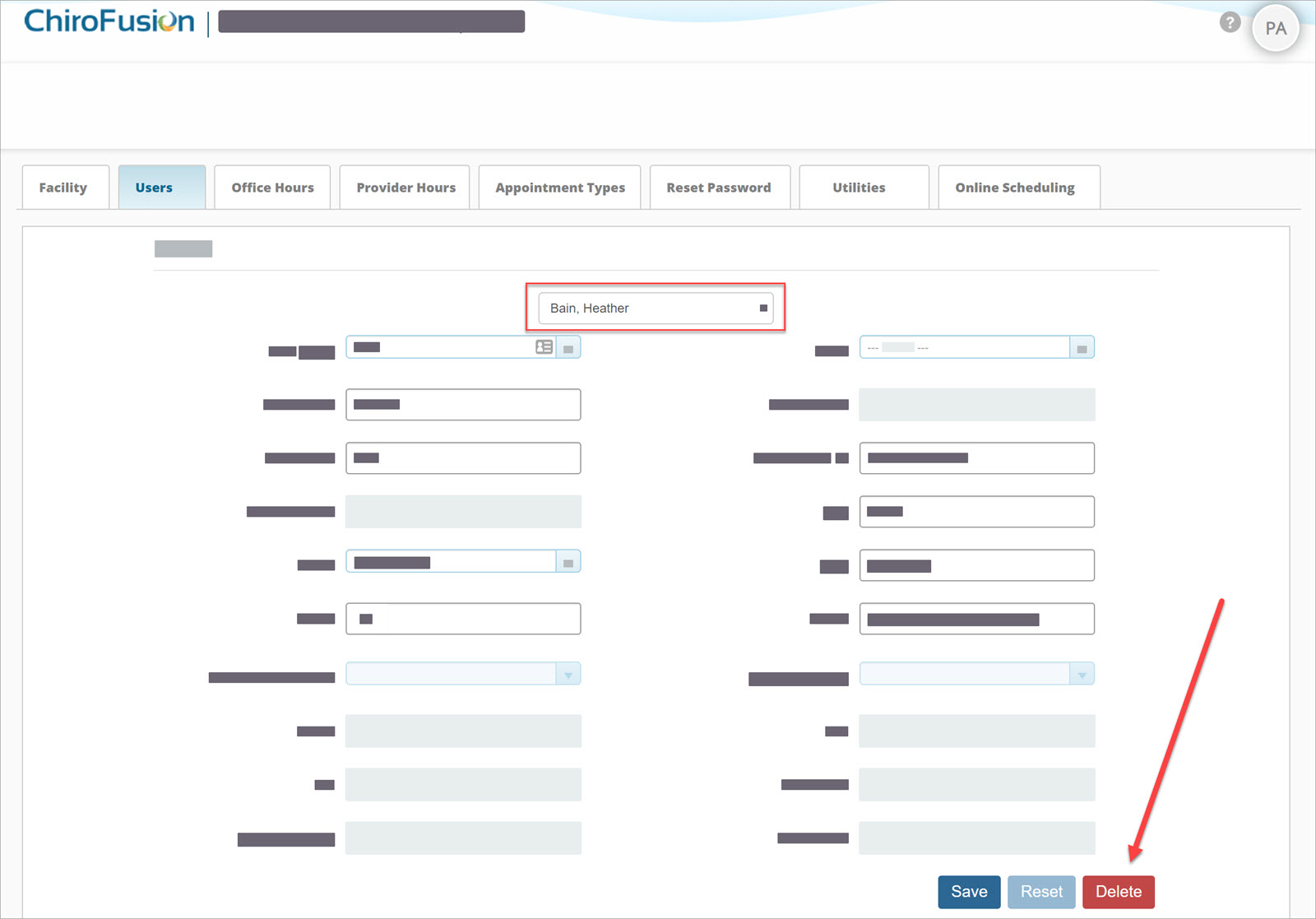
 

delete-user


Please note. Providers cannot be deleted from the Admin panel. Please contact support for assistance with removing a Provider from your account. 


Tags:#staff#delete staff#delete admin#staff user#admin#user#delete user

Was this article helpful?

Your feedback helps us continuously improve our documentation.

Related Articles

Troubleshooting Guide

Why is the calendar not updating after a patient checks in?

The scheduling calendar is set to auto-refresh every 70 seconds and should reflect any changes after a refresh.

Troubleshooting Guide

Chrome Troubleshoot: Resolving common issues

If you are experiencing lagging or freezing while using ChiroFusion, it's most likely related to your web browser or internet connection.

Troubleshooting Guide

I am having a problem exporting ChiroFusion reports to Excel

The Excel report downloaded from ChiroFusion does not open in Excel or opens as a blank document.

Troubleshooting Guide

I'm locked out of my account and need to reset my password

Provider and Staff passwords can be reset in the Admin panel of ChiroFusion.