
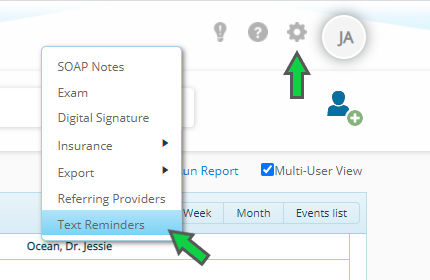
To set the time interval for text appointment reminders, go to Settings > Text Reminders and select an option from the dropdown menu.
Text appointment reminders can be triggered from 2 - 24 hours prior to an appointment. This article will show you how to customize text appointment reminders in ChiroFusion.
ChiroFusion Support
Updated Sep 12, 2024
To set the time interval for text appointment reminders, go to Settings > Text Reminders and select an option from the dropdown menu.
Your feedback helps us continuously improve our documentation.
Text reminders are an excellent way to reduce no-show appointments and last minute cancellations at your office. They also will save your staff time calling to remind patients of their upcoming appointments.
Referrals to your practice can be tracked in ChiroFusion using the 'New Patients' report.
ChiroFusion's Online Scheduling feature allows patients to schedule appointments with your office 24/7. This article will show you how to setup and get the most from online scheduling.